1 IMAGE
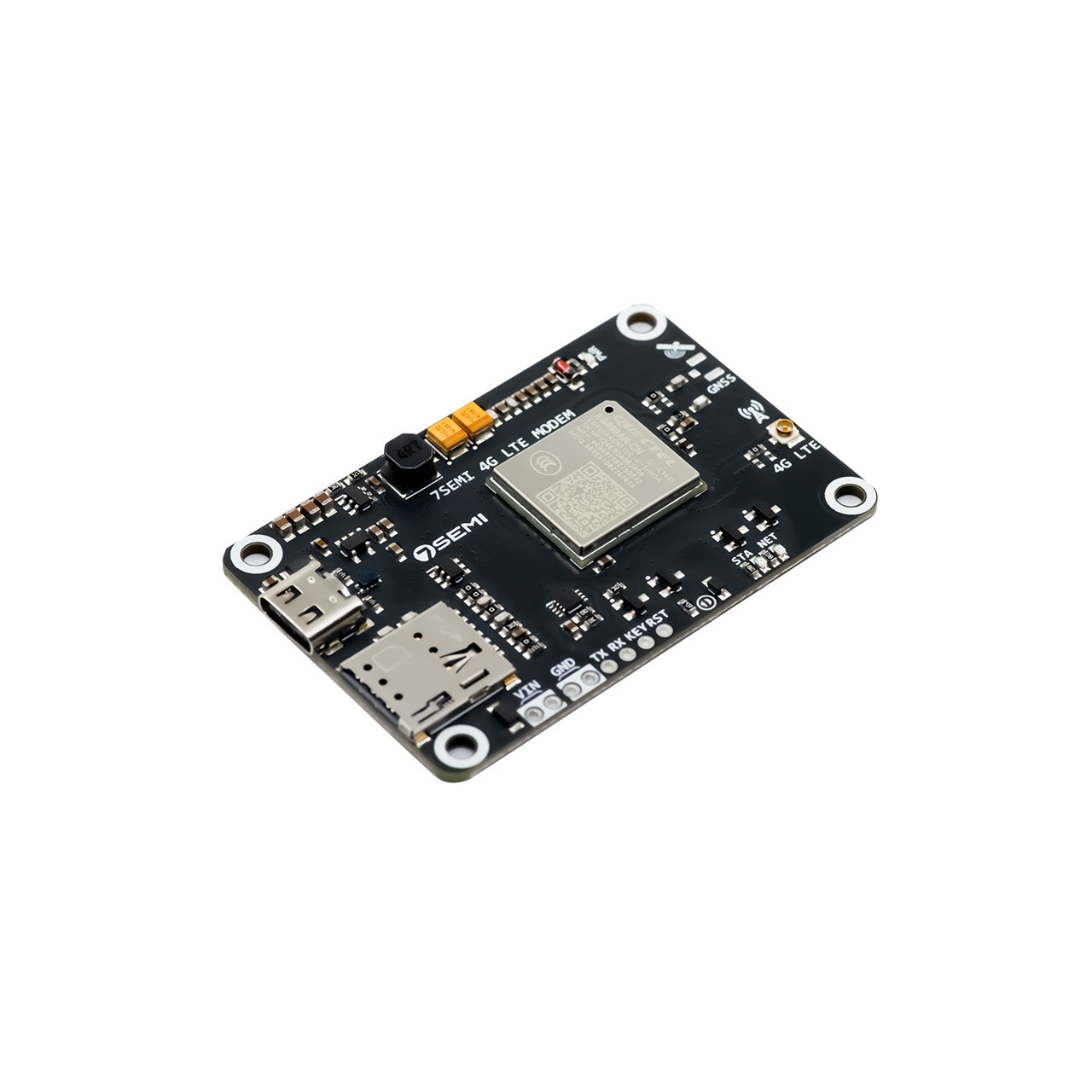
7Semi LTE Communication module
7Semi LTE Communication module
Compact LTE Cat 1bis Module with UART Interface, LTE Connectivity, and External Antenna Support
The 7Semi EG800AK-CN LTE Development Board is a compact cellular communication platform built around the Quectel EG800AK-CN LTE Cat 1 module. It enables embedded systems to connect to LTE networks for wireless data transmission, cloud communication, remote monitoring, and IoT deployments where Wi-Fi or wired connectivity is unavailable. Designed for rapid prototyping and product development, the board exposes the module's UART interface through easy-to-use headers, allowing seamless integration with popular platforms such as ESP32, STM32, Arduino, Raspberry Pi, and other microcontrollers. The onboard USB Type-C connector simplifies power and debugging during development, while the integrated SIM card holder and LTE antenna interface provide everything needed to get started with cellular connectivity. Whether you're building a remote sensor node, industrial monitoring system, smart agriculture solution, asset tracking device, or cloud-connected embedded product, the EG800AK-CN offers a reliable and straightforward way to add LTE communication to your project.
| Parameter | Value |
|---|---|
| Product category | LTE Communication module |
| Operational voltage | 5V DC to 23V DC |
| Download speed | upto 10Mbps |
| Upload speed | up to 5mbps |
| LTE-FDD Bands | B1,B3,B5,B8 |
| LTE-TDD Bands | B34, B38, B39, B40, B41 |
| Communication | UART |
| Suported protocol | MQTT, TCP/IP, HTTP, HTTPS, UDP |
| Operating temprature | -35°C to +60°C |
| Dimension | L=54mm W=18mm H=8mm |
| Current rating | Power Off 5.58 µA ,Sleep Mode 0.40 mA, Idle Mode 8.845 mA |

| # | Pin | Description |
|---|---|---|
| 1 | VIN | Power 5V to 26V DC |
| 2 | GND | Ground |
| 3 | RX | UART receive pin |
| 4 | TX | UART transmit pin. |
| 5 | KEY | Modem power control pin. |
| 6 | RESET | Hardware reset pin. |

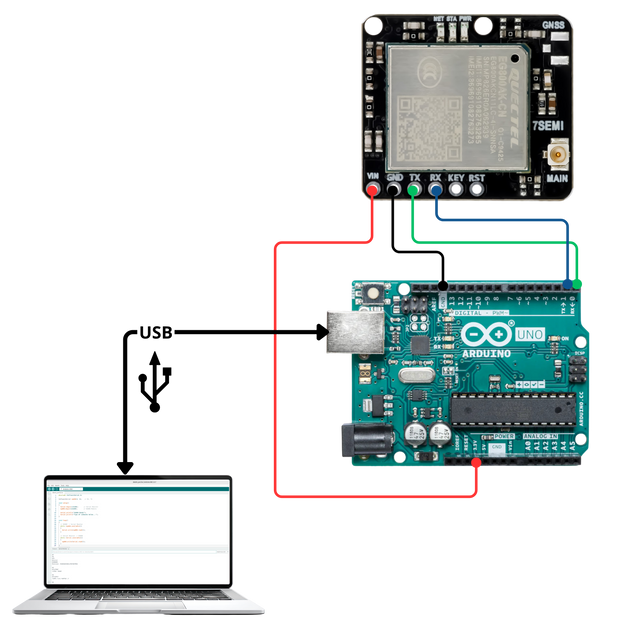
#includeSoftwareSerial eg800(2, 3); // RX, TX void setup() { Serial.begin(115200); // Serial Monitor eg800.begin(115200); // EG800 Module Serial.println("EG800 Ready"); Serial.println("Type AT commands below..."); } void loop() { // EG800 -> Serial Monitor while (eg800.available()) { Serial.write(eg800.read()); } // Serial Monitor -> EG800 while (Serial.available()) { eg800.write(Serial.read()); } }
Dimensions: L=54mm W=18mm H=8mm

The EG800AK-CN is an LTE Cat 1 cellular communication module designed for IoT, industrial automation, telemetry, asset tracking, remote monitoring, smart agriculture, and cloud-connected embedded systems.
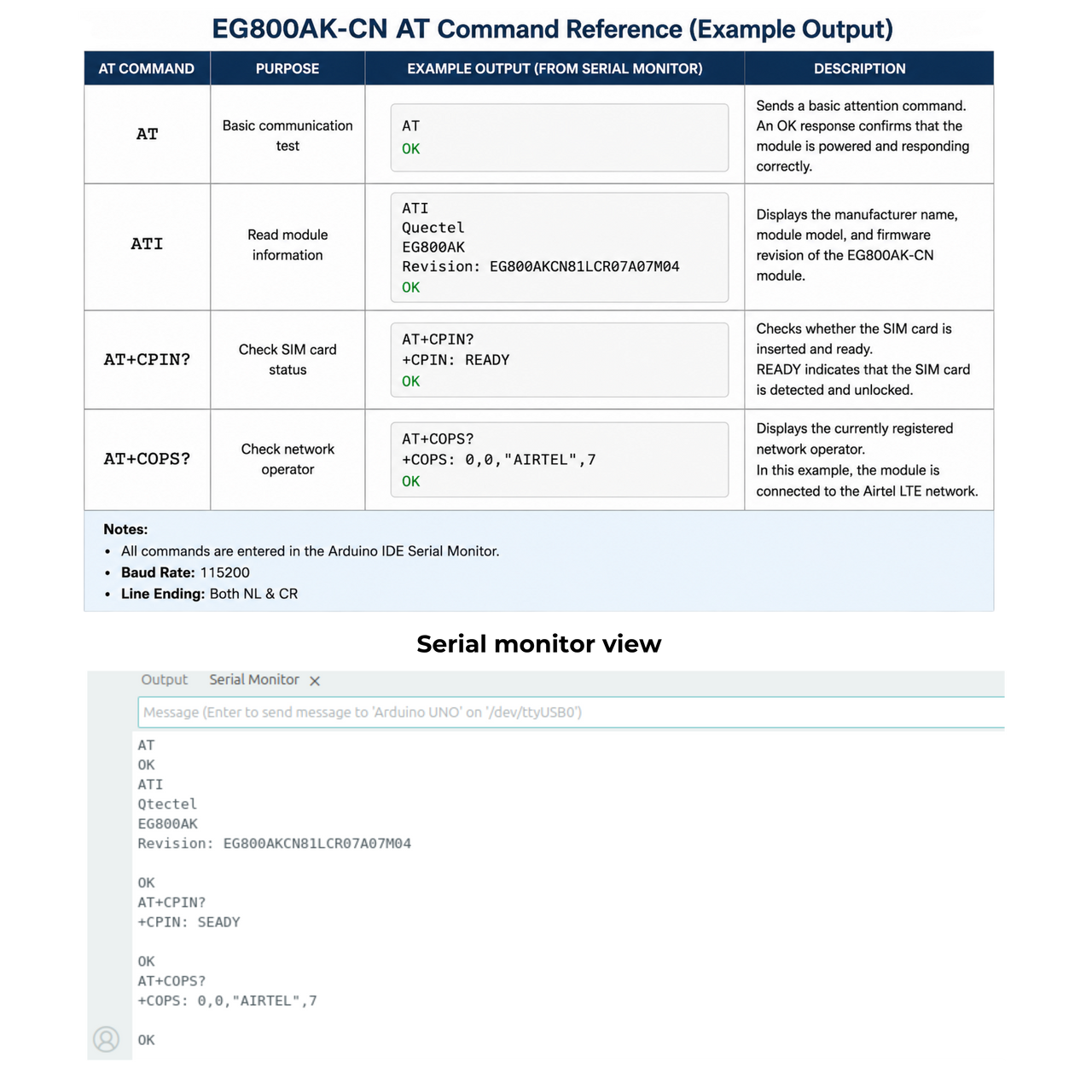
Open a serial terminal and send: AT Expected response: OK This indicates that the module is powered and communicating correctly.
Possible causes include: Incorrect baud rate TX/RX wiring reversed Insufficient power supply Missing common ground connection Module still booting Verify all hardware connections before testing again.